
AI Image to Video
AI Image to Video Generator
Introduction:
AI image to video generator that turns photos into animated videos with realistic AI motion online.
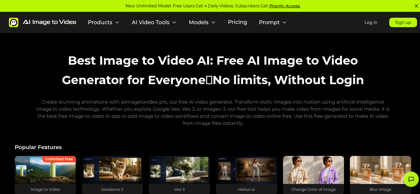
AI Image to Video Product Information
What is AI Image to Video ?
AI Image to Video is an AI-powered platform for converting static images into dynamic videos with realistic motion and cinematic effects. Users can upload photos, provide prompts, and generate engaging videos using multiple AI models. The platform supports AI image generation, image-to-video creation, watermark-free exports on paid plans, and browser-based workflows, making it suitable for creators, marketers, agencies, and businesses producing high-quality visual content.
AI Image to Video's Core Features
AI image-to-video generation
Photo animation with realistic motion
Prompt-guided video creation
High-quality AI video generation
Multiple AI generation models
Fast cloud-based processing
Browser-based workflow
Supports multiple image assets
AI Image to Video's Use Cases
AI Image to Video's Pricing
Free: Generate up to 4 watermarked AI videos per day with limited usage
Standard: $19.99/month with 550 credits (~110 videos) and multi-model access
Pro: $39.99/month with 1,200 credits (~240 videos), priority support, and no watermarks
Pay As You Go: $299 one-time for 12,800 credits with no recurring fees and credits that never expire
Enterprise: Custom pricing with volume-based credits, dedicated support, and advanced security
FAQ from AI Image to Video
What is AI Image to Video?
- AI Image to Video is an AI-powered platform that transforms static images into animated videos using advanced image-to-video generation technology.
What inputs does AI Image to Video support?
- The platform supports image uploads and allows users to generate videos from one or more images with AI-generated motion and cinematic effects.
How long does it take to generate a video?
- Generation time depends on the selected model, video length, and server load. Most videos are completed within a few minutes.
Can I customize the generated video?
- Yes. Users can add prompts, control motion, adjust animation styles, and configure generation settings to create videos that match their creative goals.
What can AI Image to Video be used for?
- It can be used to create social media videos, marketing content, product showcases, cinematic animations, promotional materials, and creative visual storytelling.
Is AI Image to Video beginner-friendly?
- Yes. The platform features a browser-based interface that allows users to generate AI videos without professional editing skills.