
AtAt
What is AtAt ?
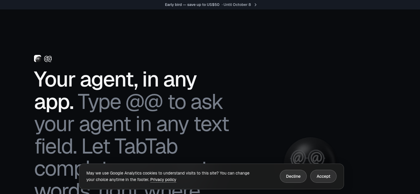
AtAt is a native macOS application designed to integrate AI agents and autocomplete directly into any editable text field across the operating system. It features out-of-the-box support for popular CLI agents—such as Claude Code, Codex, Grok, Cursor, Pi, Hermes, OpenCode, and Antigravity—while enabling users to connect custom CLIs, standard API keys (OpenRouter, OpenAI, Anthropic, DeepSeek), or local models through Ollama and Apple on-device intelligence. When activated via the '@@' trigger, AtAt attaches relevant screen captures, clipboard items, and Finder selections to the prompt, returning answers directly at the user's cursor without requiring window switching. Additionally, AtAt includes TabTab for system-wide predictive text completions, an extensive screen capture and recording utility, and a local-first architecture ensuring zero intermediary server tracking.
AtAt's Core Features
Out-of-the-box integration for CLI agents including Claude Code, Codex, Grok, Cursor, Pi, Hermes, OpenCode, and Antigravity, plus custom CLI support
Bring-your-own-key compatibility with OpenAI, Anthropic, DeepSeek, and OpenRouter API endpoints
Local and on-device model execution via Ollama and Apple Intelligence Siri AI
System-wide '@@' trigger providing contextual agent invocation in any editable text field
TabTab predictive inline autocomplete across text fields, code editors, and terminals
Automatic multimodal context awareness including screen capture, clipboard history, and Finder file selection
Contextual action menu for selected text supporting instant rewrites, explanations, and searches
Built-in screen capture and recording suite supporting scrolling capture, video/GIF trimming, annotations, and OCR
Native Swift architecture with direct-to-provider routing and zero intermediary data collection
AtAt's Use Cases
Execute coding and debugging instructions directly in code editors or terminals via Claude Code or Codex
Draft, edit, or translate communications directly inside email clients, note apps, and browsers by typing @@
Provide visual screen context and attached files from Finder directly to AI agents without manual uploads
Accelerate repetitive typing with TabTab system-wide inline suggestions accepted by pressing Tab
Capture, annotate, OCR, and convert screen data into actionable AI prompts within a single unified interface
AtAt's Pricing
7-Day Free Trial - Full access to all features with no account or credit card required
Monthly Plan - $9/month, billed monthly with continuous updates and cancellation anytime
Yearly Plan - $59/year (early-bird offer: $49/year), save 45% compared to monthly billing
Lifetime Plan - $169 one-time payment (early-bird offer: $119), includes all future updates and activation on up to 3 Macs
FAQ from AtAt
What is AtAt?
- AtAt is a native macOS utility and AI agent bridge that enables users to invoke AI agents and predictive autocomplete across any application. By typing '@@' in any standard text field, users can query connected AI models with visible screen context, clipboard history, and Finder file selections, receiving generated responses directly at their cursor.
Which AI agents and providers are supported?
- AtAt supports Claude Code, Codex, Grok, Cursor, Pi, Hermes, OpenCode, and Antigravity out of the box, with support for adding any custom CLI agent. It also allows users to bring their own API keys for OpenAI, Anthropic, DeepSeek, and OpenRouter, as well as run local models via Ollama and Apple's on-device Siri AI.
Does AtAt route prompts or user data through proprietary servers?
- No. AtAt operates with a local-first architecture built natively in Swift. Prompts, screen context, and file attachments are sent directly from the local Mac to the user's chosen CLI, API provider, or local Ollama runtime. AtAt maintains no intermediary proxy servers, and clipboard and session history remain stored locally.
What non-agent utilities are included in AtAt?
- Even without an active AI agent, AtAt functions as a full screenshot and screen recording utility (with window, area, and scrolling capture, annotations, GIF export, and OCR), a searchable clipboard manager accessible via ⌘⇧V, and a contextual quick-action toolbar for selected text.
What are the system requirements for running AtAt?
- AtAt requires an Apple silicon Mac running macOS 15 or later. Certain features, such as on-device Siri AI integration and Liquid Glass visual surfaces, require macOS 26 or later and compatible Apple Intelligence models.
What are the pricing options after the trial period?
- AtAt offers a full-featured 7-day free trial without requiring an account or credit card. Ongoing access is available through a monthly subscription at $9/month, an annual subscription at $59/year (with promotional discounts down to $49/year), or a perpetual Lifetime license at $169 ($119 promotional price) usable on up to three Macs.