
ComparePDF
What is ComparePDF ?
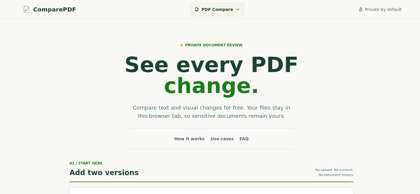
ComparePDF is a free, browser-based PDF comparison tool that highlights text and visual differences between two versions of a document. Its defining characteristic is privacy: pages are rendered and text is extracted entirely within the browser tab, so files are never uploaded to a server, no account is required, and no document history is retained. The tool offers four review views — side-by-side, overlay, slider, and difference map — and delivers visual results first, with text changes and OCR arriving progressively so the review is never blocked. Scanned English documents are supported through OCR on the first 20 pages. Each PDF can be up to 25 MB; encrypted PDFs, handwriting, and semantic table comparison are not supported in the current version. ComparePDF is designed for contracts, reports, and scanned archives where identifying the smallest change matters, and its results are intended to assist, not replace, human verification.
ComparePDF's Core Features
Fully browser-side processing: PDFs are rendered and compared locally in the browser tab with no file uploads
Four comparison views: side-by-side, overlay, slider, and difference map
Text and visual change detection with progressive results that never block the review
English OCR support for scanned documents, applied to the first 20 pages
Selectable text comparison to confirm changes against rendered pages
No account, no document history, and no share links; clearing the tab releases all comparison state
Support for PDFs up to 25 MB per file
ComparePDF's Use Cases
Comparing contract versions to spot changed clauses, dates, payment terms, and signatures
Reviewing report revisions for layout changes and new figures without sending files to a server
Checking scanned English archives by pairing visual comparison with OCR text detection
Verifying edits in sensitive documents that cannot be uploaded to third-party services
Performing a fast final human check on document changes before sign-off
ComparePDF's Pricing
Free - full functionality at no cost, with no registration, no account, and no usage tiers
FAQ from ComparePDF
Is ComparePDF free to use?
- Yes. ComparePDF is completely free with no registration, account, or subscription required.
Do my PDFs leave the browser?
- No. ComparePDF renders pages and extracts text inside the browser tab. Files are never uploaded to a server, and clearing or leaving the page releases the comparison state.
Do I need to install any software?
- No. ComparePDF runs entirely in the web browser with no installation, downloads, or account creation.
What types of differences can ComparePDF detect?
- ComparePDF detects both visual changes on rendered pages and text changes, presenting them through side-by-side, overlay, slider, and difference-map views. Visual results appear first, with text and OCR results following progressively.
Can I compare scanned PDFs?
- Yes, for English-language scans. Visual comparison works on every rendered page, and OCR runs on the first 20 pages; OCR results may require human verification.
What is the file size limit?
- Each PDF can be up to 25 MB. Encrypted PDFs, handwriting, and semantic table comparison are not supported in the current version.
Is ComparePDF a substitute for professional review?
- No. ComparePDF assists in reviewing document changes, but its results require human verification and do not constitute legal advice.