
Image To STL
What is Image To STL ?
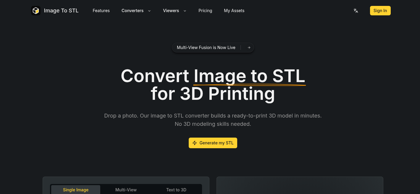
Image to STL (imagetostl.me) is an AI-powered web-based converter that transforms 2D photographs and digital artwork into watertight 3D models saved as STL or GLB files. By deploying computer vision algorithms that analyze pixel lighting, contours, and depth cues, the platform generates printable surface meshes in minutes without requiring manual CAD or sculpting skills. Creators can upload a single front-facing photograph or submit multi-view references (2 to 4 angles) to produce accurate 360-degree reconstructions of asymmetric subjects. The tool features an integrated browser-based 3D viewport, optional HD color texture rendering, and compatibility with all standard slicing software (such as Bambu Studio, Cura, and PrusaSlicer) as well as modern game engines and AR/VR platforms.
Image To STL's Core Features
AI-driven depth estimation converting 2D images into solid 3D meshes in minutes
Multi-view angle support (2 to 4 photos) for comprehensive 360-degree reconstruction
Dual format export supporting 3D printable STL meshes and textured digital GLB assets
Interactive in-browser 3D model viewport for pre-download inspection
Optional Standard and HD color texture generation for realistic visual rendering
Integrated Text to 3D generation mode converting written prompts into 3D geometry
Private processing environment ensuring uploaded imagery and 3D outputs remain confidential
Full commercial usage rights included on Pro and Max subscription plans
Image To STL's Use Cases
Convert portrait photos and pet pictures into customized 3D printed sculptures and gifts
Transform 2D logos, emblems, and graphic illustrations into embossed signs and plaques
Generate textured 3D props and environment assets for video games and virtual reality experiences
Produce tabletop game miniatures, terrain pieces, and action figures from multi-angle concept art
Prototype initial physical product shapes rapidly without specialized 3D sculpting software
Image To STL's Pricing
Free Tier - Available to test basic AI conversions online with sample credits
Pro Plan - $19/month for 600 monthly credits, high-quality STL/GLB conversion, priority processing, and full commercial rights
Max Plan - $29/month for 1,000 monthly credits, designed for studios and teams, fastest processing, and priority support
Credit Packs - One-time non-expiring purchases: 1,750 credits for $59, 3,000 credits for $99, and 4,500 credits for $149
FAQ from Image To STL
What is an image to STL converter?
- An image to STL converter transforms a 2D photograph or digital illustration into a three-dimensional model saved as an STL file. The platform utilizes AI depth estimation algorithms to evaluate image contours and lighting, outputting a watertight mesh suitable for 3D printing.
How does Image to STL generate 3D models?
- The platform's neural network examines the lighting, surface gradients, and contours of uploaded images to infer depth and volumetric shape. It constructs a polygonal mesh and allows users to export it directly as an STL or GLB file.
What file formats are supported for upload and download?
- The converter accepts 2D image uploads in JPG and PNG formats. Outputs can be downloaded as STL files for 3D slicing software and 3D printing, or as GLB files containing color textures for game engines, AR/VR, and 3D design software.
Should users upload a single photo or multiple angles?
- A single clear photo with balanced lighting is sufficient for symmetric or front-facing subjects. For complex or asymmetric objects, users can upload multi-view references containing 2 to 4 angles to achieve complete volumetric coverage across all sides.
Are the generated STL files ready for 3D printing?
- Yes. Most generated STL models open directly in standard 3D printing slicers, including Cura, PrusaSlicer, and Bambu Studio. Using high-contrast images with clean backgrounds produces optimal slicing and print results.
What pricing plans and credit options are offered?
- Image to STL offers a free trial alongside two monthly subscription plans: Pro at $19/month (600 credits) and Max at $29/month (1,000 credits), both featuring commercial licensing. Users can also purchase non-expiring one-time credit packs ranging from 1,750 to 4,500 credits.