
Image3D AI
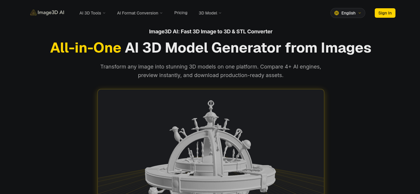
What is Image3D AI ?
Image3D AI is an all-in-one online platform that converts 2D images into production-ready 3D models. Users can compare 4+ AI engines on the same image, generate results in about 60 seconds, and preview models in an interactive browser viewer before downloading. The platform supports single-image Rapid mode for logos and sketches, and multi-view Pro mode that reconstructs real-world objects with higher accuracy from front, side, and back views. Three generation modes — Normal, Low Poly, and Geometry — cover game assets, AR content, and textureless white models for 3D printing, with optional PBR material generation for textured output. Assets export in GLB, OBJ, and STL formats, ready for Unity, Unreal Engine, web AR, and printing workflows. No 3D modeling experience is required, and free sample generations are available without an account.
Image3D AI's Core Features
AI image-to-3D generation from a single image in about 60 seconds
Access to 4+ AI engines with side-by-side comparison on one platform
Multi-view Pro mode for physically accurate reconstruction from multiple angles
Three generation modes: Normal, Low Poly for games/AR, and Geometry for 3D printing
Automatic PBR material generation for textured assets
GLB, OBJ, and STL export for web, editing software, and 3D printing
Interactive browser preview before download
Free sample generations with no login or credit card required
Image3D AI's Use Cases
Turning character art, mascots, and concept sketches into textured 3D game assets for Unity or Unreal
Converting product photos into interactive 3D models for e-commerce displays and AR previews
Generating STL-ready meshes from clear source images for 3D printing workflows
Creating architectural and decor models without building from scratch
Comparing multiple AI engines on the same image to pick the best output
Image3D AI's Pricing
Free samples: test generation with example images, no login or credit card required
Hobbyist: $9.9/month ($6.9/month billed annually at $82.8/year) — 360 credits per month
Creator: $19.9/month ($13.9/month billed annually at $166.8/year) — 800 credits per month
Pro: $39.9/month ($27.9/month billed annually at $334.8/year) — 1,800 credits per month with priority processing queue
One-time credit packs: Trial Pack $10 (250 credits) and Credit Pack $30 (1,000 credits) — credits never expire, no subscription required
FAQ from Image3D AI
What image formats does Image3D AI support?
- Image3D AI supports PNG, JPEG, and WEBP uploads up to 10MB. Images with clear outlines, simple backgrounds, and good lighting produce the best results. Free example images are available to test generation with no login or credit cost.
How long does it take to convert an image to 3D?
- A typical image-to-3D generation takes around 60 seconds, from upload to a previewable 3D result in the browser. Multi-view Pro mode may take slightly longer but delivers higher reconstruction accuracy.
What 3D file formats can I export?
- The platform exports GLB, OBJ, and STL formats. GLB is the modern standard for web and AR, OBJ works with virtually all 3D editing software, and STL is the standard for 3D printing workflows.
What is the difference between Rapid mode and Pro mode?
- Rapid mode generates a model from a single image using AI inference, ideal for logos, sketches, and quick results. Pro mode uses multi-view input (front, side, back) for physically accurate reconstruction, best for real-world objects, e-commerce products, and 3D printing.
Do credits expire?
- Credit pack credits never expire and can be combined with any subscription. Subscription credits refresh each billing cycle. Failed generations do not consume credits.