
Live3D AI Image Editor
Live3D AI Image Editor Tool
Introduction:
AI image editor for quick edits, effects, and background removal using simple prompts.
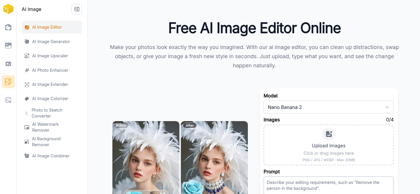
Live3D AI Image Editor Product Information
What is Live3D AI Image Editor ?
AI-powered image editor for fast photo edits, background removal, and style transfer using simple text instructions.
Live3D AI Image Editor's Core Features
AI-driven image editing using natural language instructions
Automatic background removal and replacement
Style transfer and creative visual effects
Image enhancement and quality optimization
VTuber-focused avatar and character editing tools
Batch image processing for efficiency
High-resolution export and multiple format support
Live3D AI Image Editor's Use Cases
#1
Designing and editing VTuber avatars and character assets
#2
Enhancing social media visuals with AI-generated effects
#3
Creating thumbnails for videos and live streams
#4
Generating artistic variations from existing images
#5
Removing or replacing backgrounds for marketing materials
#6
Performing quick edits without manual design work
Live3D AI Image Editor's Pricing
Free
FAQ from Live3D AI Image Editor
What file formats does Live3D AI Image Editor support?
- Live3D AI Image Editor supports common image formats including PNG, JPG, JPEG, and other widely used digital formats.
Do I need design experience to use Live3D AI Image Editor?
- No, the tool is designed for all skill levels. AI automation simplifies complex editing tasks, making it easy to achieve professional results.
Can I use edited images for commercial purposes?
- Yes, edited images can typically be used commercially, but users should review the terms of service for specific plan limitations.
Is there a limit to how many images I can edit?
- Free plans may include usage limits, while premium plans provide higher or expanded editing allowances.