
lora ai training
What is lora ai training ?
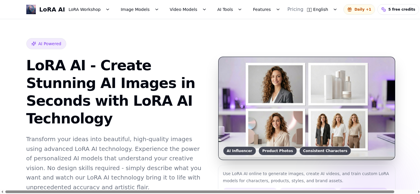
LoRA AI (loraai.me) is a browser-based platform for AI image generation, AI video creation, LipSync, and custom LoRA model training. LoRA, or Low-Rank Adaptation, steers a base AI model toward a specific style, character, product, or visual concept without retraining the full model, producing small reusable adapter files. The platform is built for repeatable output: keeping the same person, product, style, or brand identity recognizable across many generations, a capability its comparison table positions against ChatGPT and Midjourney. Users can generate images from a 500-character prompt with an optional reference image, choose from pre-trained models such as Seedream 4, 4.5 and 5.0, GPT Image, Flux Kontext, and Flux Krea Dev LoRA, or train their own LoRA from a ZIP dataset with a trigger word and adjustable steps, learning rate, and rank. Dedicated workflows cover anime LoRA training, video LoRA training for motion and camera behavior, AI influencer and product photo generation. New users receive 5 free credits with no credit card required, and all generated images are cleared for commercial use.
lora ai training's Core Features
Custom LoRA training in the cloud from a ZIP dataset, with a trigger word and adjustable steps, learning rate, and rank; no GPU or coding required
Four generation modes in one workspace: Image, Video, LipSync, and LoRA Train
Pre-trained model library including Seedream 4, 4.5 and 5.0, GPT Image, Flux Kontext, and Flux Krea Dev LoRA, plus selectable styles such as Flux Portrait
Prompt-based generation with up to 500 characters, optional reference image upload, and aspect ratio, quality, and image count controls
Dedicated Anime LoRA Training and Video LoRA Training workflows for reusable characters, motion patterns, and camera behavior
AI tools for influencer generation, product photos, stickers, and architecture design
Video models including MiniMax H3 and the WAN 2.2 toolkit for LoRA-aware video generation
Creator gallery and effects browsing to preview portrait, anime, product, video, and character directions before generating
My LoRAs library for saving and reusing trained models across image and video workflows
Commercial use cleared for all generated images, with account-based access, protected payments, and privacy-conscious media processing
lora ai training's Use Cases
Creating consistent characters for portraits, anime, and stylized scenes across multiple prompts
Producing product ads, campaign key visuals, and branded assets with a repeatable visual identity
Training anime character or manga-style LoRA models from a ZIP dataset
Turning prompts or reference images into LoRA-aware short video drafts and motion concepts
Generating AI influencer and virtual influencer content
Building a reusable custom LoRA for a person, fashion line, product set, mascot, or house style
lora ai training's Pricing
Free: 5 free credits included plus daily bonus credits, no credit card required; image generation costs 3 credits per image
Pro: $9.99/month, or $8.33/month billed yearly at $99.99/year (save 17%), includes 2,399 credits (approximately 800 images), advanced creator tools, and premium-level priority support
Premium: $29.99/month, or $16.67/month billed yearly at $199.99/year (save 44%), includes 5,999 credits (approximately 2,000 images), video LoRA training access for motion, camera moves, and effects, and the My LoRAs library for saving and reusing trained models
One Time plans: available on a separate billing tab; one-time plan credits never expire, while unused monthly and yearly subscription credits do not roll over
FAQ from lora ai training
What is LoRA AI?
- LoRA AI uses Low-Rank Adaptation models to steer a base AI model toward a specific style, character, product, or visual concept without retraining the full model.
How is a LoRA different from a base model?
- A base model provides broad image generation ability, while a LoRA adds focused behavior on top of it, making it easier to get consistent outputs for a niche style, subject, or brand look.
Can I train my own LoRA on LoRA AI?
- Yes. LoRA AI supports custom LoRA training workflows so users can build a model around their own character, product, art style, or reference set, and a dedicated Anime LoRA Training workflow is also available.
Can I use LoRA for AI video generation?
- Yes. LoRA models can be used in image-to-video and creative video workflows to help preserve style, character identity, and visual consistency across frames. Video LoRA training for motion and camera behavior is included with the Premium plan.
Do I need my own dataset to start?
- Not always. Users can start by generating with existing LoRA models, and prepare their own dataset to train a custom LoRA when a more tailored result is needed.
How many images can I generate with 100 credits?
- With 100 credits, approximately 33 images can be generated, as image generation costs 3 credits per image.
Can I use the generated images for commercial purposes?
- Yes. According to the official FAQ, all generated images are cleared for commercial use.
Do unused credits expire?
- Unused credits from monthly or yearly subscription plans do not roll over at the end of the billing period, while credits from one-time plans never expire.