
ManualFig
ManualFig - AI Manual Illustration Generator
Introduction:
Create instruction manual illustrations from product photos, CAD images, or step lists with AI.
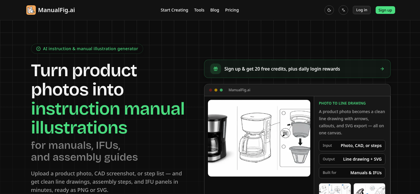
ManualFig Product Information
What is ManualFig ?
ManualFig uses AI to turn product photos, CAD screenshots, and assembly steps into professional instruction manual illustrations, IFUs, and assembly guides with PNG and SVG exports.
ManualFig's Core Features
Generate instruction manual illustrations from product photos
Convert CAD screenshots into clean line drawings
Create step-by-step assembly guides automatically
Produce professional IFU panels for product documentation
Generate scalable vector (SVG) illustrations
Export illustrations as PNG and SVG
Support product photos, CAD images, and written step lists
Create publication-ready technical illustrations in minutes
ManualFig's Use Cases
#1
Creating product instruction manuals
#2
Producing assembly guides for consumer products
#3
Generating IFUs for medical devices
#4
Creating installation and maintenance documentation
#5
Building technical documentation for manufacturing
#6
Preparing illustrated user guides for print and digital distribution
ManualFig's Pricing
Free - $0 with 10 sign-up credits, 10 daily credits, PNG exports, project history, and limited SVG conversion.
Starter - $30/month with 200 monthly generation credits, reference image uploads, project history, and PNG exports.
Pro - $60/month with 600 monthly credits, SVG workflow, reference-guided editing, priority support, and enterprise review workflows.
Business - $120/month with 1,500 monthly credits, SVG workflow, large project history, priority support, and custom compliance workflows.
FAQ from ManualFig
What is ManualFig?
- ManualFig is an AI-powered tool that converts product photos, CAD screenshots, or assembly instructions into professional instruction manual illustrations, IFU panels, and assembly guides.
How does ManualFig create instruction manuals?
- Users upload product photos, CAD images, or step lists, and ManualFig automatically generates clean line drawings, exploded views, assembly sequences, and instruction panels ready for documentation.
What file formats does ManualFig export?
- ManualFig exports generated illustrations in PNG and SVG formats, making them suitable for print manuals, digital documentation, and further editing in design software.
Who can benefit from using ManualFig?
- ManualFig is designed for manufacturers, technical writers, industrial designers, product engineers, assembly documentation teams, and businesses creating instruction manuals or IFUs.
Can ManualFig generate illustrations from CAD files?
- Yes. ManualFig accepts CAD screenshots alongside product photos and written assembly steps to generate clear instructional illustrations.
What types of documentation can ManualFig create?
- The platform generates assembly guides, instruction manuals, user guides, illustrated work instructions, IFUs (Instructions for Use), and step-by-step product documentation.