
Omni AI Video
What is Omni AI Video ?
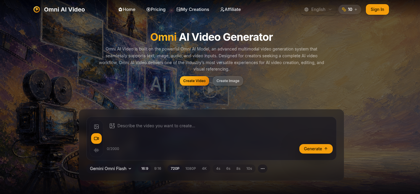
Omni AI Video is a multimodal AI video generation platform built around the Omni Video Model. Instead of limiting creators to text prompts, the platform can combine text, image references, audio cues, and video references within a unified generation workflow. Users can create videos from written scene descriptions, animate images, guide new footage with visual references, or incorporate reference clips for additional creative control. The main generator supports multiple reference images, reference video uploads, landscape and vertical aspect ratios, configurable durations, and resolutions up to 4K. Supported models such as Gemini Omni Flash can also generate synchronized audio based on prompts describing dialogue, ambience, sound effects, and other audio elements. Omni AI Video is intended for social content, advertising, product showcases, cinematic concepts, branded campaigns, and other creative video production workflows.
Omni AI Video's Core Features
Multimodal AI video generation
Text-to-video generation
Image-to-video generation
Reference-to-video generation
Video-to-video workflows
Text, image, audio, and video reference inputs
Up to five reference images in the main generator
Reference video uploads up to 30 seconds
Synchronized audio generation on supported models
720p, 1080p, and 4K video options
16:9 landscape and 9:16 vertical aspect ratios
Configurable video duration
MP4 video downloads
Credit-based AI generation
Commercial usage rights on paid plans
Watermark removal on paid plans
Omni AI Video's Use Cases
Creating short-form videos for TikTok, Instagram Reels, and YouTube
Generating advertising and promotional video concepts from text prompts
Animating product images for ecommerce campaigns and product showcases
Using multiple visual references to maintain subjects, products, or creative styles
Creating cinematic concepts and pre-visualization for creative productions
Producing branded content and campaign visuals for marketing teams
Generating videos with dialogue, ambience, music, or synchronized sound effects
Transforming existing video references into new AI-generated creative variations
Omni AI Video's Pricing
Free - Signed-in users can claim 1 free credit every 24 hours
Basic - $9.90/month equivalent with annual billing; 1,800 annual credits issued upfront, equivalent to 150 credits per month, with up to approximately 15 videos per month
Pro - $19.90/month equivalent with annual billing; 4,200 annual credits issued upfront, equivalent to 350 credits per month, with up to approximately 35 videos per month
Max - $34.90/month equivalent with annual billing; 9,000 annual credits issued upfront, equivalent to 750 credits per month, with up to approximately 75 videos per month
Pro Max - $59.90/month equivalent with annual billing; 18,000 annual credits issued upfront, equivalent to 1,500 credits per month, with up to approximately 150 videos per month
Paid Plans - Include access to supported AI models, commercial usage rights, priority support, priority processing, and watermark removal
One-Time Credits - Additional non-subscription credit packs are also available from the pricing page
FAQ from Omni AI Video
What is Omni AI Video?
- Omni AI Video is a multimodal AI video generation platform powered by the Omni Video Model. It can combine text prompts, image references, audio cues, and video references within a unified workflow to create AI-generated video content.
What types of videos can I create with Omni AI Video?
- Omni AI Video can create social media clips, advertising visuals, product showcases, cinematic concepts, branded content, creative experiments, and other short-form video assets from text or multimodal references.
What types of inputs does Omni AI Video support?
- The main generator supports text prompts, up to five reference images, and one reference video. Supported reference image formats include JPG, JPEG, PNG, and WebP, while reference videos can be uploaded in MP4, MOV, or WebM format.
Do I need video editing experience to use Omni AI Video?
- No advanced video editing experience is required for the core generation workflow. Users describe the desired scene, add optional references, select settings such as resolution and duration, and let the AI generate the video.
Can I use images or videos as references?
- Yes. Supported models can use reference images and video clips to guide subjects, visual style, composition, movement, and other creative characteristics instead of relying on text prompts alone.
What video resolutions and output formats are supported?
- The main Omni AI Video generator offers 720p, 1080p, and 4K resolution options. Generated videos can be downloaded in MP4 format, while available settings can vary depending on the selected model and input type.
Can Omni AI Video generate videos with audio?
- Yes. Gemini Omni Flash supports synchronized audio, allowing prompts to describe dialogue, sound effects, ambience, and other audio elements alongside the visual scene.
Can I use Omni AI Video for free?
- Omni AI Video uses a credit-based system. Signed-in users can claim one free credit every 24 hours, while subscriptions and one-time credit options provide additional generation capacity.
Can I use generated videos commercially?
- Paid Omni AI Video plans explicitly include commercial usage rights and watermark removal. Users should still ensure that they have the necessary rights to any uploaded images, videos, audio, brands, or other reference materials.
How are credits calculated?
- Credit consumption depends on the selected model, video duration, resolution, and whether a reference video is included. Higher resolutions and more demanding generation settings generally require more credits.