
PDFuck - Free Online PDF Tools
PDFuck Free Online PDF Tools
Introduction:
Free online PDF tools to merge, split, compress, convert and edit PDFs securely in your browser.
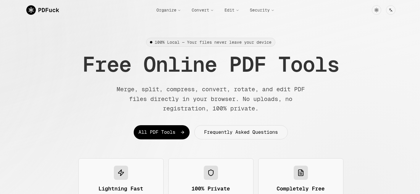
PDFuck - Free Online PDF Tools Product Information
What is PDFuck - Free Online PDF Tools ?
PDFuck offers free online PDF tools to merge, split, compress, convert, and edit PDFs directly in your browser with no registration required.
PDFuck - Free Online PDF Tools's Core Features
PDF to Word, Excel, PowerPoint, and image conversion
Merge multiple PDF files into one document
Split PDF into individual pages or selected ranges
Compress PDF files to reduce size
Rotate, reorder, and delete PDF pages
Basic PDF editing directly in the browser
No uploads to external storage required
No registration or account creation
Cross-platform browser compatibility
Fast in-browser processing
PDFuck - Free Online PDF Tools's Use Cases
#1
Converting PDF reports into editable Word documents
#2
Merging invoices or contracts into a single file
#3
Compressing PDFs for faster email sharing
#4
Splitting large PDF manuals into smaller sections
#5
Reorganizing pages within business proposals
#6
Preparing academic assignments in PDF format
#7
Optimizing PDFs for web uploads
PDFuck - Free Online PDF Tools's Pricing
Free - Access all PDF tools with no cost or subscription
Unlimited usage - No registration or account required
FAQ from PDFuck - Free Online PDF Tools
Is PDFuck really free to use?
- Yes, PDFuck provides all core PDF tools completely free of charge. There are no subscriptions, hidden fees, or usage-based payments required.
Do I need to install any software?
- No installation is required. PDFuck operates entirely within your web browser, making it accessible on desktop and mobile devices without additional software.
Is my data safe and private?
- PDFuck is designed with privacy in mind. File processing is handled securely in the browser environment, and no registration is required to use the tools.
What file formats are supported?
- PDFuck supports conversion between PDF and commonly used formats such as Word (DOC/DOCX), Excel (XLS/XLSX), PowerPoint (PPT/PPTX), and image formats including JPG and PNG.
Is there a file size limit?
- PDFuck can handle standard document sizes efficiently. Very large files may require more processing time depending on device performance and browser capabilities.
Do I need to create an account?
- No account or registration is required. All tools can be used immediately after accessing the website.