
Photo to Video
Photo to Video: AI Image to Video Generator
Introduction:
Turn photos into AI videos with camera motion, native audio, top models and 4K export. Free credits, no subscription.
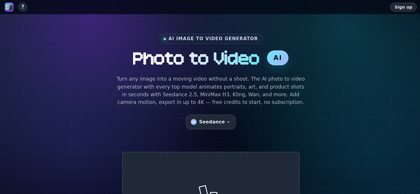
Photo to Video Product Information
What is Photo to Video ?
Photo to Video is a browser-based AI image-to-video platform that converts static photos into animated clips without a shoot or timeline editing. It provides access to multiple video models, including Seedance 2.5, MiniMax H3, Kling, Wan, Vidu, LTX 2.5, Veo, and Sora 2, allowing users to compare outputs from the same image and prompt. The platform supports portrait animation, product spins, background motion, lifestyle scenes, camera movement, reference-image workflows, native audio on selected models, and export up to 4K. Pricing is based on free starting credits followed by pay-per-video credit packs rather than a recurring subscription.
Photo to Video's Core Features
Image-to-video generation from a single photo
Access to multiple AI video models in one browser-based generator
Camera motion, pan, zoom, rotation, and directed shot controls
AI portrait animation for facial movement, blinking, smiling, and head turns
AI 360-degree subject spin from one image
Background animation and background replacement
Lifestyle scene generation with matched lighting and perspective
Native audio generation on supported models
Reference-image support on selected models
Up to 4K video export on supported models
No timeline editing or software installation required
Free starting credits and pay-per-video credit pricing
Photo to Video's Use Cases
#1
Animating portraits, headshots, and old photos with natural movement
#2
Turning product photos into short videos for listings and advertisements
#3
Creating 360-degree product or subject spins from a single image
#4
Producing social media clips from portraits, artwork, and lifestyle photos
#5
Adding motion to illustrated, AI-generated, or photographic artwork
#6
Generating real estate and location showcase clips from still images
#7
Testing the same shot across multiple AI video models before final rendering
#8
Creating short video drafts with native sound before higher-resolution production
Photo to Video's Pricing
Free start - 50 credits for new signed-in accounts, with no card required up front
Pay-per-video - credits are purchased in packs rather than through a recurring subscription
Model-based pricing - cost varies by model, duration, resolution, and audio support, with the exact credit price shown before generation
Entry-level examples - MiniMax H3 5s at 480p costs 24 credits; Kling 2.6 Standard 5s costs 32 credits; Seedance 2.0 Mini 5s at 480p costs 36 credits
High-resolution examples - LTX 2.5 5s at native 4K costs 297 credits; Seedance 2.5 5s ranges from 162 credits at 480p to 1,620 credits at native 4K
FAQ from Photo to Video
What is Photo to Video?
- Photo to Video is an AI image-to-video platform that turns a static photo into a moving clip using selectable video models, prompt controls, camera motion, and optional reference images.
How does Photo to Video work?
- Users upload a photo or enter a prompt, choose a model, set the clip length and resolution, add motion or reference-image instructions, and generate a video in the browser. The image and prompt can be reused when switching between models.
Which AI models are available?
- The platform lists models including Seedance 2.5, Seedance 2.0, MiniMax H3, Kling 3.0, Wan 2.7, Vidu Q3, LTX 2.5, Grok Imagine, Veo, Hailuo, Happy Horse, Agnes, and Sora 2.
How long does it take to create a video?
- Generation time depends on the selected model, duration, and resolution. Some draft tiers return clips in a few seconds, while higher-quality or longer renders can take longer.
Can Photo to Video generate audio?
- Many supported models generate native audio with the video, including dialogue, ambience, and sound effects. Availability depends on the selected model and tier.
Is Photo to Video free to use?
- Yes. New signed-in accounts receive 50 free credits, and selected entry-level models can be tested with those credits. After the free balance is used, the platform charges per video through credit packs rather than a subscription.
What output quality does Photo to Video support?
- Supported outputs include MP4 video, with resolution options reaching up to 4K on selected models. The exact resolution and price are shown before generation.
Do generated videos have a watermark?
- Photo to Video states that generated videos download as plain MP4 files without an added watermark, including videos covered by free credits.