
PixPin
PixPin Screenshot & OCR Tool
Introduction:
PixPin is a free screenshot, OCR, and screen recording tool for Windows and macOS with annotation features.
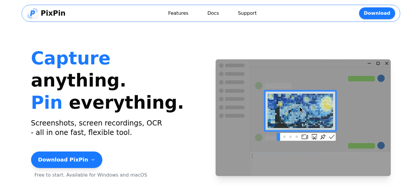
PixPin Product Information
What is PixPin ?
PixPin is a feature-rich screenshot and productivity tool designed for users who need fast image capture, annotation, OCR, and screen recording capabilities. The software combines multiple utilities into a single lightweight application, including scrolling screenshots, desktop image pinning, text extraction, blur effects, and customizable hotkeys. PixPin helps creators, developers, educators, and professionals streamline workflows by simplifying screenshot editing, reference management, and visual communication. With support for both static image capture and screen video recording, the platform serves as an efficient all-in-one solution for tutorials, bug reporting, presentations, and content creation tasks.
PixPin's Core Features
Multi-mode screenshot capture
Screen recording with area selection
OCR text extraction from images
Desktop image pinning
Real-time annotation and markup tools
Scrolling screenshot capture
Blur and highlight editing tools
Customizable keyboard shortcuts
Color picker and measurement utilities
Quick sharing and clipboard support
PixPin's Use Cases
#1
Capturing and annotating screenshots for tutorials
#2
Extracting text from screenshots with OCR
#3
Recording product demos and presentations
#4
Documenting software bugs and UI issues
#5
Pinning reference images during work sessions
#6
Creating visual guides for remote collaboration
#7
Capturing long webpages with scrolling screenshots
PixPin's Pricing
Free - Includes screenshot capture, OCR, annotation, image pinning, and screen recording features at no cost
FAQ from PixPin
Is PixPin free to use?
- Yes, PixPin is free to download and use, with core screenshot, OCR, annotation, and screen recording features available without subscription fees.
What platforms does PixPin support?
- PixPin supports both Windows and macOS, offering native desktop tools for screenshots, OCR, image annotation, and screen recording.
Can PixPin recognize text from images?
- Yes, PixPin includes OCR text recognition that can extract text from screenshots and images, supporting multiple languages.
Does PixPin support screen recording?
- Yes, PixPin provides screen recording functionality for capturing desktop activities, tutorials, presentations, and demos.
Can PixPin pin images on the desktop?
- Yes, PixPin allows users to pin screenshots or images directly on the desktop so they stay visible above other windows for quick reference.