
Screentell
Screentell - Screen Recorder & Video Editor
Introduction:
Browser-based screen recorder and video editor for studio-quality product demos and tutorials with 3D effects.
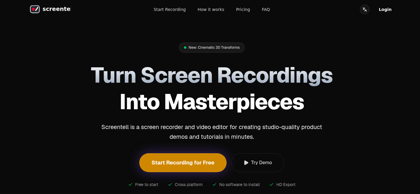
Screentell Product Information
What is Screentell ?
Screentell is a browser-based screen recorder and video editor built for creating studio-quality product demos and tutorials in minutes. It captures screen and camera with a dual-stream engine, then enhances recordings with cinematic 3D transforms, focus zooms, customizable stickers, and a flexible face camera layer. The multi-track editor supports cutting, splitting, cropping, and speed control, while background and layout options give videos a polished, professional look. All processing happens locally in the browser for full privacy, and finished videos export in MP4, WebM, or GIF with no software installation required.
Screentell's Core Features
Browser-based screen and camera recording with dual-stream engine
Cinematic 3D transforms with rotation, scaling, and skewing
Focus zoom and smooth camera pans to guide viewer attention
Customizable stickers, arrows, shapes, and image overlays
Dynamic face camera layer that can be moved, resized, or hidden after recording
Multi-track editing with clip cutting, splitting, and speed control
Screen cropping to hide distracting UI elements
Custom backgrounds, padding, and shadow layouts
MP4, WebM, and GIF export with resolution and codec control
100% local processing with privacy-first design
Screentell's Use Cases
#1
Create studio-quality product demos for landing pages and launches
#2
Record step-by-step software tutorials and onboarding videos
#3
Produce engaging YouTube and social media screen recordings
#4
Add 3D motion and annotations to make presentations stand out
#5
Edit existing footage into polished clips without desktop software
Screentell's Pricing
Free: $0 — unlimited recordings, HD export, basic editing tools, watermarked videos, up to 3 minutes per export
Pro Plan: $49.99/year (≈$4.16/mo) — no watermark, unlimited export video length, cancel anytime
Lifetime Plan: $99 one-time (regular $199.99) — everything in Pro plus lifetime access and updates
FAQ from Screentell
Is Screentell really free to use?
- Yes. Screentell offers unlimited recording and editing for free with HD export. The Pro plan removes the watermark and unlocks unlimited export length, while free exports are limited to 3 minutes per video.
Do I need to install any software?
- No. Screentell runs entirely in the browser using modern Web APIs for screen capture and video processing. It works on all modern desktop browsers including Chrome, Edge, Brave, and Arc, with Chromium-based browsers recommended.
Can I edit videos recorded elsewhere?
- Yes. Beyond screen recording, Screentell lets users import any existing video file and edit it with the full suite of tools, including cutting, cropping, speed control, stickers, and 3D transforms.
What export formats are supported?
- Screentell exports videos in MP4, WebM, and GIF formats, with full control over resolution, quality, and codecs. Videos are ready to share directly on YouTube or social media.
Where are my recordings stored?
- Screentell is privacy-first: all processing happens locally in the browser and recordings never leave the user's device. No recording data is uploaded to external servers.