
SnapToWindow
What is SnapToWindow ?
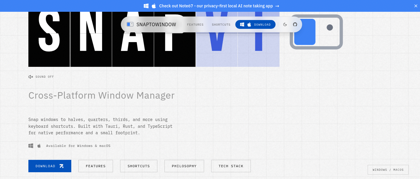
SnapToWindow is a comprehensive window management utility designed specifically for Windows users who want to maximize their productivity. This lightweight yet powerful tool transforms how you interact with multiple applications by providing quick and easy window snapping capabilities. With support for customizable keyboard shortcuts, mouse gestures, and predefined snap zones, SnapToWindow allows you to instantly arrange windows in various layouts across single or multiple monitors. Whether you're a developer juggling code editors and browsers, a designer working with multiple creative tools, or a professional managing various business applications, SnapToWindow streamlines your workflow by eliminating the tedious manual resizing and positioning of windows. The software features an intuitive interface that's easy to learn yet powerful enough to handle complex multi-monitor setups, making it an essential tool for anyone looking to optimize their Windows desktop experience.
SnapToWindow's Core Features
Quick window snapping with keyboard shortcuts
Multi-monitor support for seamless workflow
Customizable snap zones and layouts
Mouse gesture controls for easy window positioning
Predefined window positions and grid layouts
Lightweight and minimal system resource usage
Easy-to-use interface with intuitive controls
SnapToWindow's Use Cases
Developers arranging code editor, terminal, and browser side by side for efficient coding
Content creators organizing video editing software, preview window, and timeline simultaneously
Data analysts positioning spreadsheets, databases, and visualization tools for comprehensive analysis
Designers aligning design software, reference materials, and communication tools for streamlined workflow
Office professionals managing email, documents, and web browsers for improved multitasking
SnapToWindow's Pricing
Free version with basic window snapping features
Premium version with advanced customization and unlimited snap zones
FAQ from SnapToWindow
What is SnapToWindow?
- SnapToWindow is a Windows utility that allows you to quickly snap and resize windows to predefined positions on your screen using keyboard shortcuts or mouse gestures, improving your workflow efficiency.
How do I activate SnapToWindow?
- You can activate SnapToWindow using customizable keyboard shortcuts or by dragging windows to screen edges. The default hotkeys can be configured to match your preferences.
Does SnapToWindow work with multiple monitors?
- Yes, SnapToWindow fully supports multi-monitor setups, allowing you to snap windows across different displays seamlessly.
Can I customize window positions?
- Absolutely! SnapToWindow allows you to create custom snap zones and layouts tailored to your specific workflow needs.