
Video Compressor — VidPackit
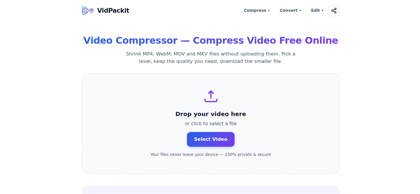
What is Video Compressor — VidPackit ?
VidPackit is a client-side video compression and conversion tool that operates entirely within modern web browsers using WebCodecs technology. Unlike conventional cloud-based converters, VidPackit decodes, re-encodes, and saves video files directly on the user's local device without transmitting any data over the network. It offers four distinct compression presets—Original, High (70%), Medium (40%), and Low (20%)—with target bitrates mathematically calculated from the source file to prevent unexpected file inflation. Users can also downscale resolutions to 720p, 480p, or 360p, extract audio tracks into standard formats like MP3 and AAC, and convert across video containers including MP4, WebM, MOV, MKV, M4V, and MPEG. The service is entirely free, leaves no watermarks, requires no account registration, and functions seamlessly offline after page load on desktop Chrome and Edge.
Video Compressor — VidPackit's Core Features
100% client-side in-browser video compression using WebCodecs with zero server uploads
Four bitrate compression tiers (Original, High, Medium, Low) derived from source file metrics
Bitrate clamping mechanism ensuring output files are never larger than the original source
Comprehensive video container output support including MP4, WebM, MOV, MKV, M4V, and MPEG-TS
Dedicated audio-only extraction supporting MP3, AAC, WAV, FLAC, and OGG formats
Resolution downscaling controls to 720p, 480p, or 360p directly within the conversion interface
Transparent pre-compression bitrate display and real-time processing progress estimation
Zero watermarks, no user account registration, no queue waits, and full offline functionality
Video Compressor — VidPackit's Use Cases
Compress large video recordings for quick transmission over email, messaging apps, and social platforms
Reduce bandwidth consumption and page load times by optimizing video files for web publishing
Securely compress confidential internal meetings or client recordings without third-party cloud exposure
Extract background soundtracks or voiceovers from video clips into standalone MP3 or AAC audio files
Downscale video resolution and container format to match target display device specifications
Video Compressor — VidPackit's Pricing
Free - $0 with full access to all compression levels, output formats, and resolution options
No Premium Tier - 100% free with no subscriptions, ads, watermarks, or usage limits
FAQ from Video Compressor — VidPackit
What is VidPackit and how does it compress videos?
- VidPackit is a browser-based video compression and conversion utility powered by WebCodecs. It reduces video file sizes by re-encoding them at lower bitrates entirely on your local device, without uploading any data to remote servers.
Are video files uploaded to VidPackit servers?
- No. All decoding, compression, and encoding processes execute locally within your browser using client-side WebCodecs. You can verify this in the browser's Network inspection tab or even disconnect your internet connection after loading the page.
What output formats are supported?
- VidPackit supports video exports in MP4, WebM, MOV, MKV, M4V, and MPEG-TS containers. It also supports audio-only extraction in MP3, AAC, WAV, FLAC, and OGG formats.
How do the compression levels work?
- VidPackit features four predefined levels: Original (100% video bitrate), High (70%), Medium (40%), and Low (20%). The target bitrate is derived directly from the source file and clamped so that the compressed output is never larger than the original.
Is VidPackit free and are there file size limits?
- VidPackit is completely free with no watermarks, no account registration, and no queues. There is no artificial file size limit imposed by the platform; processing capacity is limited only by your device's available system memory (RAM).
Which web browsers are compatible with VidPackit?
- VidPackit is optimized for desktop versions of Google Chrome and Microsoft Edge, which provide full native support for WebCodecs encoding APIs.