
WasItAI
What is WasItAI ?
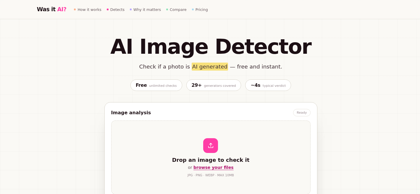
WasItAI is a browser-based AI image detector that estimates whether a picture was produced by an image generator or captured by a camera. Instead of reading the subject of a photo, it analyzes pixel-level statistics — noise structure, frequency artifacts, edge and texture behaviour, and surviving metadata — and compares them against patterns typical of generated and photographic images. The tool covers 29+ generators including Midjourney, DALL·E, Stable Diffusion, Flux, and Google Imagen, and returns a verdict with a confidence level rather than a yes-or-no certainty. Checks are unlimited and free with no account required, and images are deleted after analysis. A Pro tier adds generator naming, batch uploads of up to 50 images, and exportable PDF reports for moderators, editors, illustrators, marketplaces, and investigators.
WasItAI's Core Features
Pixel-level analysis of noise structure, frequency artifacts, edges, and textures
AI-or-camera verdict with per-result confidence score
Probable generator identification across 29+ models including Midjourney, DALL·E, and Stable Diffusion
Unlimited free checks with no account or installation required
Batch upload of up to 50 images (Pro)
Exportable timestamped PDF reports (Pro)
Images deleted after analysis — never stored or used for training
Browser-based, works on mobile with drag, drop, or URL paste
WasItAI's Use Cases
Screening marketplace listings and product photos for generated images before payout
Verifying contest entries, commissions, and portfolio submissions for AI-generated art
Fact-checking viral images during breaking news before republication
Detecting fake rental listings, dating profiles, and e-commerce storefronts built on synthetic photos
Supporting appeals when hand-drawn work is wrongly flagged as AI-generated
WasItAI's Pricing
Free: $0 forever — unlimited checks, no account, AI-or-camera verdict with confidence score, images deleted after analysis
Pro Monthly: $1 first-day trial, then $7/mo — probable generator named, batch up to 50 images, exportable PDF reports, saved history
Pro Annual: $1 first-day trial, then $67/yr (save 20%) — same Pro features, cancel anytime
FAQ from WasItAI
What is WasItAI?
- WasItAI is an AI image detector that estimates whether a picture was produced by an image generator or captured by a camera. It reads pixel-level statistics rather than the subject — noise structure, frequency artifacts, edge and texture behaviour, and surviving metadata — then returns a verdict with a confidence level.
How accurate is WasItAI?
- Accuracy depends heavily on the image, so WasItAI reports a confidence score per result instead of one headline number. Clean, full-resolution output from well-known generators is usually identified with high confidence, while heavily compressed, cropped, or re-edited images often return an inconclusive verdict rather than a false certainty.
Which AI generators can WasItAI identify?
- Coverage includes Midjourney, DALL·E, Stable Diffusion, Flux, Google Imagen, Grok/Aurora, Adobe Firefly, Leonardo, and Ideogram, plus 20+ less common models. When the fingerprint is legible, Pro users see the probable generator named; otherwise the tool still returns an AI-or-camera verdict.
Is WasItAI free to use?
- Yes. Image checks are unlimited with no account and no card required, and the free verdict is identical to the Pro verdict. Pro adds generator naming, batch uploads of up to 50 images, exportable PDF reports, and saved check history.
Are uploaded images stored?
- No. Images are analyzed and then discarded on both free and Pro plans. They are not added to a training set, published, or kept after the result is returned. Pro's saved history stores only the verdict, confidence, timestamp, and an optional thumbnail.
Does WasItAI work on mobile?
- Yes. The tool runs entirely in the browser with nothing to install. On mobile, users can pick a photo from the camera roll, take one directly, or paste an image URL, and the verdict appears on the same screen.