
TranslateImage AI
What is TranslateImage AI ?
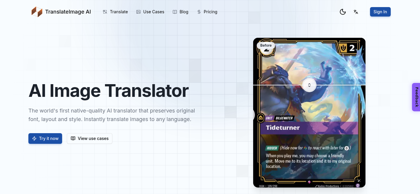
TranslateImage AI is an AI-powered image translation tool that converts text embedded in images into more than 70 languages while preserving the original font, layout, and visual style. Instead of overlaying plain translated text, the tool detects each text region, removes the source text, and re-renders the translation with matched typography, colors, spacing, and alignment, so the result looks as if it were designed natively in the target language. Images in JPG, JPEG, PNG, and WebP formats up to 10 MB can be dropped into the browser, and results are returned in seconds. A batch mode translates up to 20 images at once with shared language settings and delivers them as a single ZIP file, while a dedicated Manga Mode handles manga, manhwa, and manhua — preserving speech bubbles, vertical text, and sound effects across whole chapters. The service runs a freemium model: a free tier with trial credits and watermarked output, monthly or yearly subscriptions with monthly credit allowances, and one-time credit top-up packs. Typical users include e-commerce sellers localizing product images, marketers adapting campaigns, manga scanlation and comic readers, and content creators translating memes and infographics.
TranslateImage AI's Core Features
Native-quality image translation that preserves original font, layout, colors, and style
Translation into 70+ languages with natural, fluent AI output
Layout integrity — text positioning, spacing, and alignment remain intact after translation
Manga Mode for manga, manhwa, and manhua: preserves speech bubbles, vertical text, and sound effects
Batch translation of up to 20 images with shared settings and single ZIP download
Source text removal and re-rendering with automatic font matching
Support for JPG, JPEG, PNG, and WebP files up to 10 MB
Fast browser-based processing with drag-and-drop upload — no design skills required
TranslateImage AI's Use Cases
Localizing product listing images and catalogs for international marketplaces
Translating manga, manhwa, and comic chapters while keeping speech bubbles and vertical text intact
Adapting marketing banners and ad creatives for regional campaigns
Translating memes, infographics, and social media posts for global audiences
Reading foreign-language signs, menus, and documents from travel photos
Localizing app screenshots, game cards, and UI graphics
TranslateImage AI's Pricing
Free — 300 trial credits (up to 3 translations), all translation features, watermarked output, no commercial use
Premium — $7.99/month or $79/year (billed annually): 10,000 credits/month, watermark-free output, commercial use, priority processing, JPG/PNG/WebP export
Pro (Most Popular) — $19.99/month or $219/year (billed annually): 30,000 credits/month, watermark-free output, commercial use, priority processing, JPG/PNG/WebP export
Credit Packs (one-time) — Starter $5.99 / 5,000 credits (≈50 images), Popular $9.99 / 10,000 credits (≈100 images), Plus $19.99 / 20,000 credits (≈200 images), Pro $49.99 / 50,000 credits (≈500 images); watermark-free output and commercial use included
FAQ from TranslateImage AI
What is TranslateImage AI?
- TranslateImage AI is a browser-based AI image translator that converts text inside images into more than 70 languages. Unlike tools that paste plain text over the image, it removes the source text and re-renders the translation with the original font, layout, colors, and style preserved, producing a native-looking result.
What image formats does TranslateImage AI support?
- The tool accepts JPG, JPEG, PNG, and WebP files up to 10 MB per image, and translated results can be exported as JPG, PNG, or WebP.
How many languages can TranslateImage AI translate?
- The platform supports translation into over 70 languages, covering all major world languages and many regional ones. The source language is detected automatically, so users only need to pick the target language.
Does TranslateImage AI preserve the original design?
- Yes. Preserving design is the tool's core function: translated text is re-rendered with matched typography, colors, spacing, and alignment, so layouts stay intact and the image looks as if it were created natively in the target language.
Can I translate multiple images at once?
- Yes. The batch translator processes up to 20 images in one run with shared language settings. Images finish one by one through parallel processing and download together as a single ZIP file. Batch translation requires signing in.
Does it work for manga and comics?
- Yes. A dedicated Manga Mode is built for manga, manhwa, and manhua. It preserves speech bubbles, vertical text, and sound effects while translating, and can handle whole chapters.
Is TranslateImage AI free?
- A free tier includes 300 trial credits (up to 3 translations) with watermarked output. Watermark-free output and commercial use require a subscription — Premium at $7.99/month or $79/year with 10,000 credits per month, or Pro at $19.99/month or $219/year with 30,000 credits per month — or a one-time credit pack starting at $5.99.
What is the difference between subscriptions and credit packs?
- Subscriptions (Premium and Pro) renew monthly with a fixed credit allowance and are billed monthly or yearly at a discount. Credit packs are one-time top-ups — 5,000 to 50,000 credits, roughly 10 credits per image translation — suited to occasional use without a recurring plan.